
Huddle Room Solutions that Give Small Spaces a Big Presence
Far too often organizations design their huddle rooms with little to no strategy:
- Throw a screen on the wall
- Plug in a webcam
- And call it a meeting space
The result is a room that technically exists on the floor plan and functionally fails the moment two remote participants try to join a brainstorming session.
The frustration is predictable, the fix is well-documented, and yet the same mistakes keep getting made in offices across every industry.
The data backs this up: 64% of all meetings involve six people or fewer, which means huddle rooms and small meeting spaces are carrying more of the collaboration load than traditional conference rooms.
Yet satisfaction rates with those spaces consistently lag, driven by hardware that wasn't designed for professional video meetings, acoustics that were never considered during construction, and setups that depend entirely on whoever walks in with the right laptop and the right cable.
This article breaks down:
- Why most huddle room solutions underperform
- What the right foundation looks like
- Why Microsoft Teams Rooms is the platform that consistently closes the gap between what a small meeting space promises and what it actually delivers
8 Reasons Huddle Rooms Often Fail Before the Meeting Even Starts
Huddle room failure rarely has a single cause as it's usually a combination of small compromises that compound into a meeting experience nobody wants to repeat. These are the patterns that show up most consistently across organizations that come to us after their existing huddle spaces have stopped earning trust.
- Consumer-grade hardware in professional settings
A webcam and a Bluetooth speaker might handle a personal video call at home, but they fall apart the moment you put them in a professional environment with multiple in-room participants, variable lighting, and an audience that expects to hear and be heard clearly. Consumer devices aren't engineered for the acoustic demands of even a small meeting room, and the gap between what they promise on the box and what they deliver in a real huddle session tends to become obvious within the first week of use.
- No standardization across rooms
When every huddle room in your organization runs on different hardware, different software, and a different join process, the cognitive load on employees adds up fast, and so do the support tickets. Lack of standardization means your IT team is managing a different problem in every room, your employees are re-learning the setup every time they switch spaces, and the consistent, productive experience that small meeting spaces are supposed to enable never actually materializes.
- BYOD dependency without BYOD support
Designing a huddle room around the assumption that someone will always walk in with the right laptop, the right cable, and a working conference app is a setup for failure at scale. BYOD can work as a fallback, but rooms that depend on it entirely, with no dedicated in-room device and no certified AV technology, guarantee inconsistency and put the burden of the meeting experience on whoever happens to be in the room rather than on the infrastructure.
- Acoustics as an afterthought
Small rooms create specific acoustic challenges, parallel hard surfaces, low ceilings, and limited volume all contribute to echo, reverberation, and the kind of ambient noise that makes high quality audio nearly impossible without intentional treatment. Rooms that skip acoustic consideration during design regularly underperform even when the AV technology installed is excellent, because no microphone or speaker system fully compensates for a space that wasn't built to support clear communication.
- No dedicated in-room device
A huddle room without a dedicated computer is a room that only works when someone brings the right technology with them, and that dependency creates a failure point every single time someone shows up unprepared or with an incompatible setup. Certified Teams Rooms appliances like the Yealink MeetingBar or Lenovo ThinkSmart Bar eliminate this problem entirely by running the Teams Rooms application natively, so the room is always ready regardless of what's in anyone's bag.
- Zero visibility for IT
Rooms without centralized device management are invisible to IT until something breaks, and by the time the problem gets reported, it's already disrupted multiple meetings. Without the monitoring and telemetry that come with a managed Teams Rooms deployment, IT teams are perpetually reactive, addressing problems after they've already affected employees and clients rather than catching and resolving them before anyone in the room notices.
- Mismatched purpose
A huddle room designed for quick one-on-ones that gets used daily for six-plus person client calls will underperform in ways that feel mysterious until you examine the setup, the camera angle is wrong, the audio coverage is insufficient, and the display is too small for the number of participants the room is actually hosting.
Matching the room's physical configuration and AV solutions to its actual usage pattern is a foundational step that many organizations skip, and it's one of the most cost-effective improvements available without touching the hardware.
- Underestimating cable and connection management
In small rooms where the table is close to the wall and participants are often moving in and out quickly, a tangle of loose HDMI cables, power adapters, and USB-C dongles creates both a practical and a perceptual problem, the room looks unmanaged and the setup takes longer than it should.
Purpose-built huddle room systems with integrated cable management and wireless content sharing options eliminate this friction and signal to everyone who walks in that the space was designed intentionally.
The Right Foundation for Huddle Room Solutions: 5 Advantages That Make MTRs the Enterprise Gold Standard
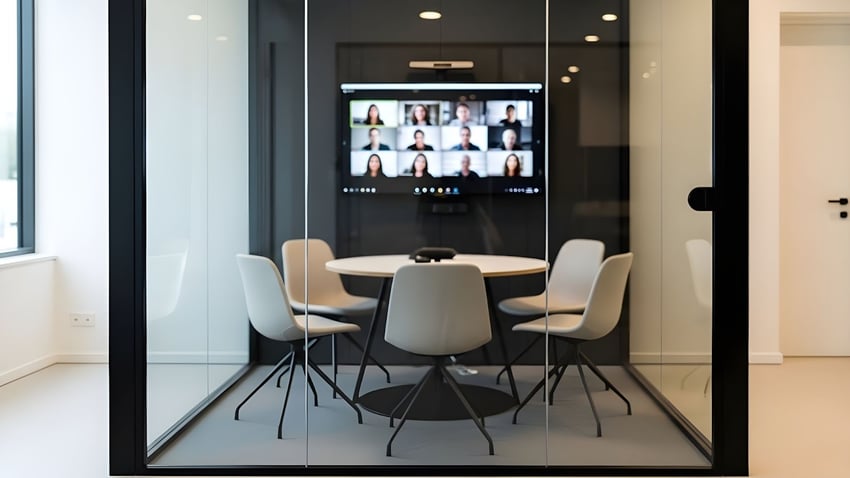
Of course, Microsoft Teams Rooms isn't the only platform available for equipping huddle spaces. But it is the one that consistently earns its place at the center of enterprise huddle room strategies, and for reasons that go deeper than the Microsoft brand. These are the platform-level advantages that set Microsoft Teams Rooms apart from generic video conferencing setups when deployed across real organizations with real IT constraints.
- One-touch meeting join
Every scheduled meeting appears on the room console automatically, and attendees start it with a single tap, no login prompt, no dial-in code, no cable required. For small teams moving quickly between spaces throughout the day, this level of simplicity isn't a luxury but a baseline that makes huddle rooms worth using in the first place. - Certified hardware ecosystem
Every device that carries the "certified for Microsoft Teams Rooms" designation has been tested against Microsoft's specifications for audio quality, video performance, and software compatibility, which means your IT team isn't guessing whether a camera or microphone will work with the platform. The certified hardware ecosystem covers every component category a huddle room needs, from all-in-one video bars to touch consoles to scheduling panels, all managed through a single administrative interface. - Teams Admin Center management
Every certified Teams Rooms device in your organization, across every office, every floor, every city, is visible and manageable from the Teams Admin Center, giving IT a single pane of glass for device health, update management, and configuration. This centralization is what separates a scalable enterprise huddle room deployment from a collection of individual devices that each require their own maintenance process. - Microsoft 365 calendar and scheduling integration
Teams Rooms pulls meeting schedules directly from Exchange and Microsoft 365, so the room console always reflects what's booked and the Teams Panel outside the door shows real-time availability without any manual input. This integration eliminates the booking conflicts, ghost reservations, and scheduling confusion that plague huddle spaces running on disconnected room management systems. - Direct Guest Join for Zoom and Webex (Teams Rooms Pro)
With a Teams Rooms Pro license, certified huddle room systems can join Zoom and Webex meetings natively from the room console, no laptop, no workaround, no separate account required. For organizations whose clients or partners operate on different video conferencing platforms, this capability removes one of the most consistent friction points in hybrid collaboration.
5 Essential Components for Your Huddle Room
Getting a huddle room right comes down to selecting the right equipment for the specific demands of a small, high-traffic meeting space, and understanding why each component matters in that context specifically.
The table below covers what to look for in each category, why it matters in small rooms, and which Microsoft-certified products deliver on those requirements for the modern work environment.
|
Component |
What to Look For |
Why It Matters in Small Spaces |
Brand/Model Recommendations |
|
All-in-one video bar |
Wide-angle lens (120°+), integrated mic + speaker, certified for Teams |
Eliminates multi-device complexity; captures everyone in a compact room |
|
|
Display |
42–55" 4K commercial display, optionally touch-enabled |
Right-sized for the room; touch adds whiteboarding without extra hardware |
|
|
Touch console |
10" tabletop controller |
One-touch join, room controls, content sharing, all without a laptop |
|
|
Teams Panel |
Wall-mounted room scheduling display |
Solves booking conflicts; shows live availability at a glance |
|
|
Network connection |
Wired Ethernet preferred |
Eliminates Wi-Fi instability for reliable call quality |
N/A |
*Note: All hardware recommendations above are Microsoft-certified, ensuring guaranteed compatibility, security compliance, and long-term update support through the Teams Admin Center.
Why Choosing Diversified As Your Certified Microsoft Partner for Huddle Rooms is a Superior Choice

Deploying huddle room solutions that actually perform requires a partner who understands both the technology and the organizational dynamics that determine whether a rollout succeeds.
Diversified has deployed over 23,000 Teams Rooms and brings that depth of experience to every engagement, from single-site pilots to global enterprise deployments spanning dozens of offices and hundreds of rooms.
The difference between a huddle room that gets used and one that gets avoided often comes down to decisions made before the first device ships: room design, hardware selection, licensing structure, network readiness, and adoption planning.
Contact us to connect with a Diversified Microsoft specialist and start building huddle spaces your teams will actually want to work in.
5 Benefits That Instantly Elevate Your Huddle Room Infrastructure
Microsoft Teams Rooms doesn't simply standardize the meeting join experience, it layers in a set of intelligent, AI-powered capabilities that make small meeting spaces punch well above their size. These are the features that separate a certified Teams Rooms huddle room from a generic video conferencing setup, and the ones that tend to generate the most visible improvement in how meetings actually feel for both in-room and remote participants.
- Cloud IntelliFrame
Cloud IntelliFrame uses AI to identify and individually frame each person in the huddle room, presenting remote participants with a clear view of every face rather than a wide-angle group shot that makes it hard to read the room. For small teams collaborating with distributed colleagues, this feature meaningfully closes the gap between being physically present and joining remotely, and it runs automatically, with no operator required. - Microsoft 365 Copilot in the Room
With Copilot integration, Teams Rooms can generate real-time meeting notes, capture action items, and produce post-meeting summaries that are available the moment the session ends, without anyone in the room needing to take manual notes. For fast-moving brainstorming sessions and quick syncs in huddle spaces, this capability means the work that happens in the room doesn't get lost the moment participants walk out the door. - Front Row Layout
Front Row places remote participants in a horizontal strip at eye level on the room display, creating a more natural sightline for in-room participants during video meetings and reducing the sense that remote attendees are secondary to the conversation. In a small huddle room where the display is close to the table and eye contact matters, this layout adjustment has a measurable effect on how connected and included remote participants feel throughout the meeting. - Intelligent Speaker and Speaker Recognition
Intelligent Speaker identifies who is speaking in the room and attributes their words correctly in the meeting transcript, so post-meeting notes and Copilot summaries reflect an accurate record of who said what. For teams that rely on meeting documentation for follow-up, compliance, or project management, this capability turns the huddle room transcript from a rough approximation into a reliable record. - Live Captions and Real-Time Translation
Live captions are generated automatically throughout the meeting and can be translated in real time across multiple languages, making huddle room sessions accessible to participants regardless of their hearing ability or primary language. For global organizations running small team meetings across language barriers, this feature removes a friction point that generic video conferencing setups either handle poorly or don't handle at all.
7 Pro Tips for Deploying Huddle Room Solutions Across Your Enterprise (with Excellence)
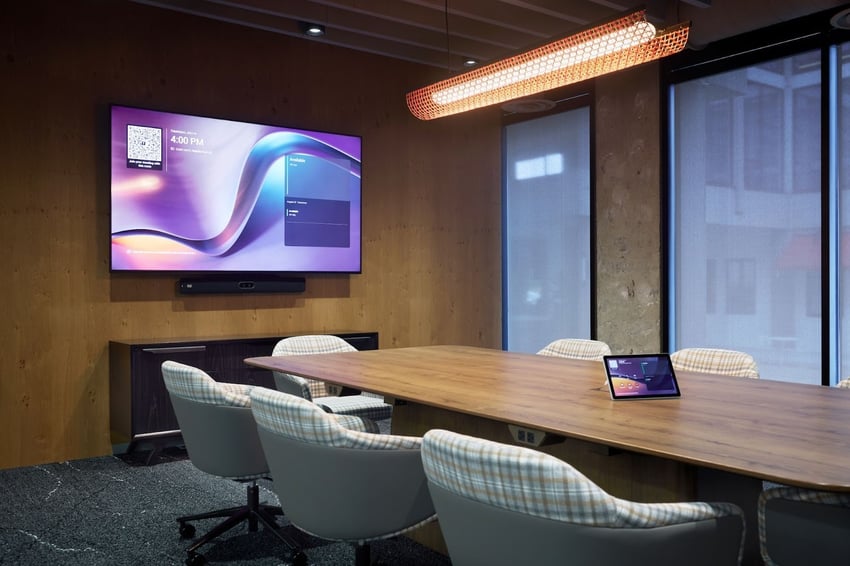
Executing a huddle room deployment well across an enterprise requires more than selecting the right hardware, it requires a disciplined approach to planning, rollout, and ongoing management that most organizations underinvest in. These tips reflect the patterns that separate deployments that scale cleanly from ones that create a new set of problems to manage.
- Standardize first, deploy second
Decide on your hardware configuration, licensing tier, and management approach before a single device ships, and hold to that standard across every room in the deployment. Standardization is what makes a large huddle room rollout manageable for IT, predictable for employees, and supportable at scale; deviating from it for individual rooms or sites almost always creates more complexity than the deviation was worth.
- Design the room before specifying the technology
Camera placement, microphone coverage, speaker positioning, and display sizing all depend on the physical dimensions and layout of the space, and trying to fit technology into a room that wasn't designed with AV in mind is a reliable path to underperformance. Start with a room assessment that considers sight lines, acoustic surfaces, ambient noise sources, and table orientation before any hardware is selected, and the technology will have a far better chance of delivering what it promises. - Right-license for your deployment size
Teams Rooms Basic is free for up to 25 devices and covers core functionality well for small enterprises, but medium and large organizations that will require advanced IT management, AI features, or enterprise security integration should invest in Teams Rooms Pro before the rollout begins rather than after. Retrofitting licensing decisions across a large deployed fleet is a preventable complexity that costs more in time and disruption than the upfront planning would have. - Don't neglect the network
Wired Ethernet is the right connection approach for every huddle room device in the deployment, not because Wi-Fi can't technically work, but because the reliability gap between wired and wireless becomes very visible at scale when dozens of rooms are running simultaneous video meetings. Budget for dedicated network drops in every huddle space as part of the deployment scope, not as an optional add-on that gets value-engineered out when costs are reviewed. - Plan for adoption, not just installation
A huddle room that's technically operational but that employees don't trust or know how to use is not a successful deployment, it's hardware waiting to be underutilized. Build a lightweight adoption plan that includes wayfinding signage, a brief user guide posted in each room, and a communication campaign that explains what the new spaces are for and how to use them, and you'll see utilization rates that justify the investment within the first month. - Build in monitoring from day one
Configure Teams Rooms Pro Management or your preferred monitoring solution before the deployment goes live, not after the first support ticket comes in. Proactive monitoring means your IT team knows about device health issues, offline rooms, and software update failures before employees do, which is the operational posture that keeps a large huddle room fleet running without becoming a permanent support burden.
6 Questions Your Facilities & IT Teams Are Probably Already Asking About Huddle Rooms
The questions that surface after a huddle room strategy gets serious tend to cluster around sizing, access management, acoustics, and data, areas where the right answer requires both technical knowledge and operational context. These are the most common ones, answered directly.
- How many huddle rooms does an organization actually need relative to its headcount, and are there industry benchmarks for determining the right ratio of huddle rooms to larger conference rooms?
Industry benchmarks vary by organization type and work model, but a commonly referenced starting point is one huddle room or small meeting space for every 8–10 employees in a hybrid environment, with huddle rooms representing roughly 60–70% of total meeting room inventory given that the majority of meetings involve four or fewer people.
The more useful approach is to audit your actual meeting data, Teams usage reports and room booking history will tell you far more about what your organization needs than any generic benchmark, and that data should drive the ratio decision before any construction or technology investment is made. - Can a Microsoft Teams huddle room be configured to support guests or external visitors who aren't part of the organization's Microsoft 365 tenant?
Yes, Teams Rooms supports external guest access for participants who join via a meeting link, and with a Teams Rooms Pro license, Direct Guest Join enables the room system to connect to Zoom or Webex meetings natively from the console without requiring any additional setup from the guest.
For organizations that regularly host clients or external collaborators in their huddle spaces, confirming that guest access policies are correctly configured in the Teams Admin Center before the rooms go live is an important step that's easy to overlook during deployment planning. - What are the acoustic treatment minimums for a huddle room…and at what point does poor acoustic design make even the best Teams hardware underperform?
The practical minimum for a functional huddle room is a reverberation time (RT60) between 0.4 and 0.6 seconds, achievable in most small spaces with ceiling acoustic panels, a soft floor surface, and at least one treated wall.
Beyond that threshold, even high-quality microphone arrays and AI noise suppression start to struggle, particularly with speech clarity for remote participants; rooms with hard floors, glass walls, and no acoustic treatment will consistently produce complaints about audio quality regardless of the hardware installed. - How does room utilization data from Teams Rooms Pro Management integrate with broader workplace analytics or real estate management platforms?
Teams Rooms Pro Management exposes utilization and occupancy data through Microsoft's Graph API, which connects to workplace analytics platforms including Microsoft Viva Insights and third-party tools like Archibus and Condeco.
The depth of integration varies by platform, but at minimum organizations can pull room booking frequency, actual occupancy rates, and meeting duration data, information that facilities and real estate teams increasingly use to make space consolidation, lease renewal, and office redesign decisions based on evidence rather than assumption. - What's the recommended approach for handling Teams Rooms software updates in a large huddle room deployment to avoid disruptions during business hours?
Teams Rooms devices receive application and firmware updates through Microsoft's managed update pipeline, and IT administrators can configure update windows through the Teams Admin Center or Intune to ensure updates roll out during off-hours rather than mid-meeting.
For large deployments, a staged update approach, rolling updates to a subset of rooms first, validating stability, then expanding to the full fleet, is the standard best practice and is significantly easier to execute when monitoring is already in place and room health baselines have been established. - What should IT teams know before migrating Microsoft Teams from one tenant to another, and how does that process affect existing huddle room infrastructure?
Tenant-to-tenant migration is complex because Teams data is distributed across SharePoint, Exchange, and OneDrive. This means room accounts, device configurations, and calendar integrations all need to be deliberately re-established in the destination tenant rather than carried over automatically.Huddle rooms are particularly sensitive to this, since the resource accounts that drive one-touch join and Teams Panel scheduling must be recreated and re-licensed in the new tenant before the rooms function again. Diversified's tenant migration services cover both the data migration and the physical room infrastructure so nothing falls through the gap between the two workstreams.
Let’s Turn Your Huddle Rooms from an Afterthought into a Strategic, Future-Proof Asset

Huddle rooms that work, genuinely work, not just technically function, are one of the highest-return investments an organization can make in its collaboration infrastructure, precisely because they're the spaces your teams use most.
Getting them right means pairing the right AV technology with intentional room design, a disciplined deployment approach, and a partner who's done it enough times to know where the problems hide before they show up in your environment.
Diversified brings all of that to every engagement, backed by over 23,000 Teams Rooms deployed and a dedicated team of Microsoft specialists who support the full lifecycle of your huddle room program.
From initial space assessment through hardware selection, deployment, and ongoing support, we build huddle room solutions that perform on day one and keep performing as your organization grows, your headcount shifts, and your collaboration needs evolve.
Reach out now to start the conversation, and find out what your huddle spaces are capable of when they're built the right way.